

 English
  Italiano


Property Grid Wrapper Template

Noyantis PropertyGrid Wrapper Template for the Codejock Xtreme PropertyGrid ActiveX control.
The template is extremely easy to add to your application. It supports from C6 through to C11 and is both ABC and Legacy compatible. Of course, as you would expect it can be added to multi-dll applications as well as single applications. It consists of various global, window, extension and code templates as well as a very feature rich class.
Demo applications that show some of the more "exciting" features are included in the installer to help you maximise the most out of your investment as fast as possible.
The template is continually being updated due to the progressive development of the actual ActiveX control. This does mean from time to time that a particular feature within the control might not be covered directly by the template. We will of course add new updates to cover these features in future builds but, to make sure you're not left waiting around, we include a set of extra methods within the class to allow you to communicate directly with the control.
We offer email support, we actively monitor and interact with the Clarion newsgroups and even hold a monthly User Group webinar thanks to the generosity of the guys over at ClarionLive.
The Codejock Xtreme PropertyGrid ActiveX control provides Windows developers with a sophisticated Visual Studio .NET style property grid. The property grid comes with a built in toolbar for easy sorting and grouping, a help panel to display information on each selected item, and a Visual Studio .NET style verb panel. Windows .NET developers can easily create a hierarchical list of editable properties that can represent many different data types. Using the ?Date? data type will create a property item that will display a "date picker" that allows you to choose the day, month, and year from a stylish UI. Both the ?Font? and ?Color? data types will include a similar UI for users to effortlessly select data values. You can even add a button to your items to display your own custom UI. The property grid's masked edit feature allows you to create a restrictive field for text entry such as a phone number. Built in theme support will allow you to choose from several predefined themes such as Windows XP, Office 2003, Visio, Delphi, Whidbey, or you can create your own customized appearance. Multi-line and variable height property cells can accommodate data of any size.
- Xtreme PropertyGrid allows you to display your data in an hierarchical list for editing. You can easily group multiple levels of data that can be displayed by expanding or collapsing property groups.
- Xtreme PropertyGrid allows you to sort your data by category, alphabetically or leave it unsorted. This built in feature allows greater control over how your data is displayed.
- Xtreme PropertyGrid provides your application with full Office 2003, Delphi, Whidbey, Visio, Windows XP, and Custom theme support that gives your application the closest, most exact current themes of any 3rd party tool available today.
- Xtreme PropertyGrid comes with an integrated help panel that you can use to display helpful hints about selected items in your property grid. This feature can easily be turned on or off.
- Xtreme PropertyGrid comes with an integrated Visual Studio .NET style Verb panel that allows you to add actions to your grid.
- You can use the Xtreme PropertyGrid's ?mask edit? property to create a mask edit style property item. You can use any combination of ?mask characters? combined with additional characters to create a restrictive field for text entry. For example: To display a prompt for a telephone number, you can restrict data entry to only numeric values with the first three numbers inside of parentheses.
- You can use the Xtreme PropertyGrid's ?combo button? to create a combo style drop-down list. In addition to the combo list, the property grid has a built-in drop-down date picker.
- Xtreme PropertyGrid provides several built in data types that are ready to use. You can choose from Boolean, Color, Date, Double, Font, Number, Picture, Read Only, and Text data types.
- Multi-line and variable cell height can accommodate data of variable sizes.
Please note, the Codejock ActiveX control is not included in this product - the template is a wrapper only for the control.
Si lo desea, escriba un comentario sobre este producto
-
 Shortcut Bar Wrapper Template
£80,00
Shortcut Bar Wrapper Template
£80,00 -
 Chart Control Wrapper Template
£80,00
Chart Control Wrapper Template
£80,00 -
 Calendar Pro Wrapper Template
£80,00
Calendar Pro Wrapper Template
£80,00 -
 Command Bars Wrapper Template
£80,00
Command Bars Wrapper Template
£80,00 -
 Suite Controls Wrapper Template
£80,00
Suite Controls Wrapper Template
£80,00 -
 Docking Pane Wrapper Template
£80,00
Docking Pane Wrapper Template
£80,00 -
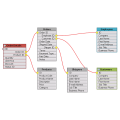 Flow Graph Wrapper Template
£80,00
Flow Graph Wrapper Template
£80,00 -
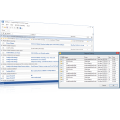 Report Control Wrapper Template
£80,00
Report Control Wrapper Template
£80,00 -
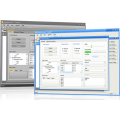 Skin Framework Wrapper Template
£80,00
Skin Framework Wrapper Template
£80,00 -
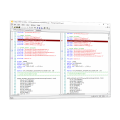 Syntax Edit Wrapper Template
£80,00
Syntax Edit Wrapper Template
£80,00 -
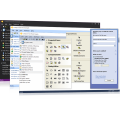 Task Panel Wrapper Template
£80,00
Task Panel Wrapper Template
£80,00 -
 £375,00
 -
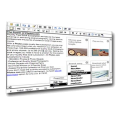 HTML Editor Wrapper Template
£120,00
HTML Editor Wrapper Template
£120,00 -
 Chilkat Wrapper Template
£295,00
Chilkat Wrapper Template
£295,00 -
 PDF Viewer Wrapper Template
£80,00
PDF Viewer Wrapper Template
£80,00 -
 G-Calc Template
£50,00
G-Calc Template
£50,00 -
 Maintenance Plan
£0,00
Maintenance Plan
£0,00 -
 Maintenance Plan ( Copy )
£0,00
Maintenance Plan ( Copy )
£0,00 -
 Maintenance Plan ( Copy ) ( Copy )
£0,00
Maintenance Plan ( Copy ) ( Copy )
£0,00